
Transferring Certificates
This help document will walk through how to transfer certificates.
M-RETS users may transfer active certificates to:
- Another organization within M-RETS;
- Other active account(s) within their organization; and
- Export to a compatible tracking system. You can find which tracking systems are compatible with M-RETS on this list. Please see here for instructions on exporting to another tracking system.
How to Transfer Certificates:
- Navigate to the Certificates Dashboard. Active Tab.
- Select the batch(es) of Certificates you wish to transfer.
- Once you have selected the batches select the 'Transfer' button.

- If you would like to change the number of certificates you are transferring, you can do so here by entering the desired quantity in the 'Quantity' field. After doing so select 'Next'.

-
You will then select the type of transfer you wish to perform. Note: When transferring certificates you can add an optional note in the "Notes" field, this note will appear on the transaction.
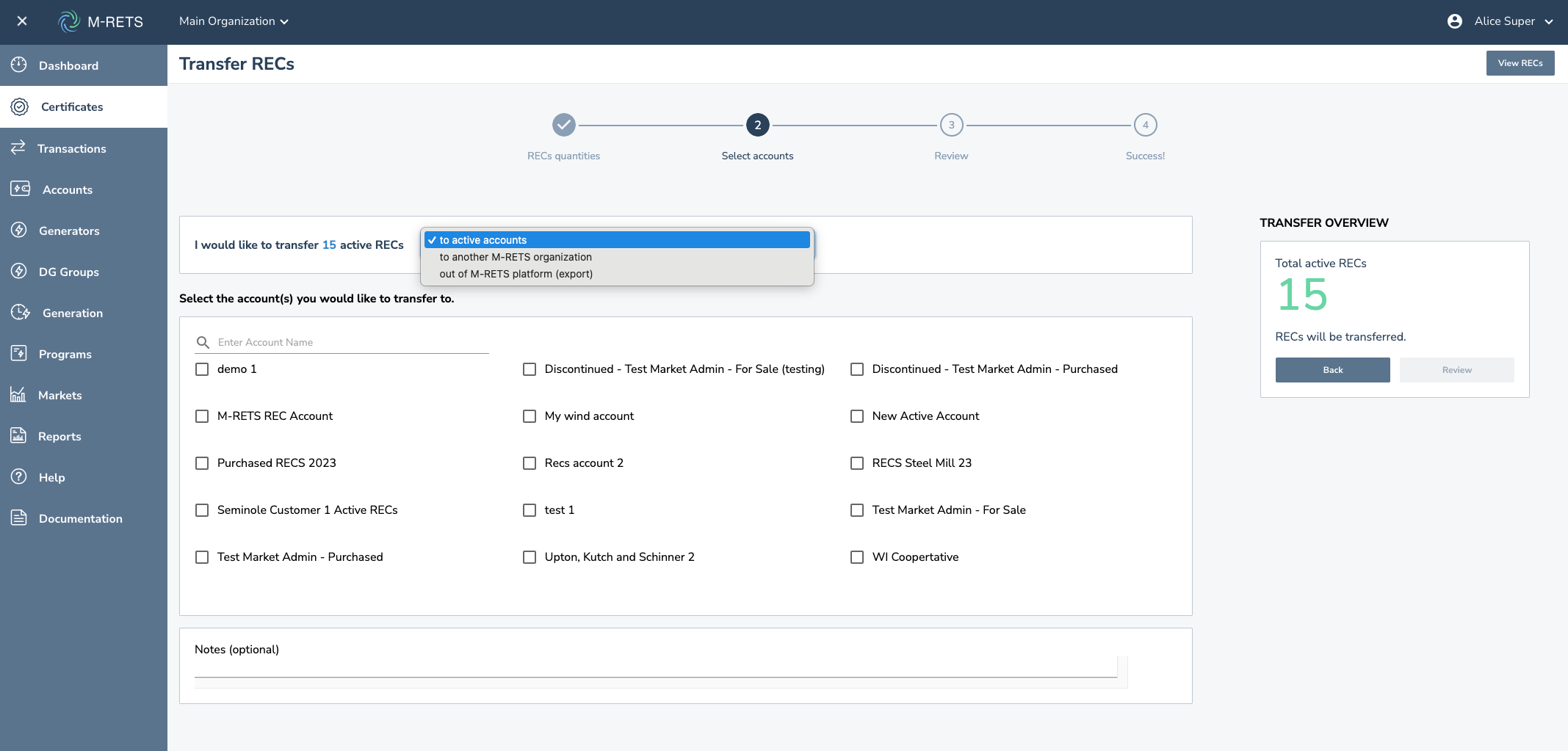
5a. Down below are the different types of transfers:
To active accounts: Will transfer the certificates to the Active REC account that you specify.
To another M-RETS organization: Will transfer the certificates to another organization. You will find the organization by searching the name as it is registered in M-RETS.
Out of the M-RETS platform: Will export the certificates to the tracking system and recipient specified.
- Review your selections for accuracy, then select "Review".

- Review the transfer, if everything looks correct select "Transfer".

- Once you've clicked 'Transfer' you can view it from 'View Transaction History'

Note: For external organization transfers and exports, the certificate transfer will remain in 'Pending' status until the receiving party accepts the transfer. You can download a transaction summary by selecting 'Download a transaction summary' from the top right corner, the arrow button.
